Version
1.0.4
Now on Apple Vision Pro too, alongside Apple TV, iPhone, iPad and Mac.
- Apple Vision Pro. Launch Today runs on Apple Vision Pro, with video played in its own window, shaped to the video.
- Copy video clip. Video playing in Launch Today's own player can now be excerpted to
the clipboard, ready to paste. A tap copies 10 seconds around that moment; hold the
Copy video clip button down to copy an excerpt of any length you like. On iPhone,
iPad and Apple Vision Pro you can also save the clip or share it. (Not on Apple TV.)
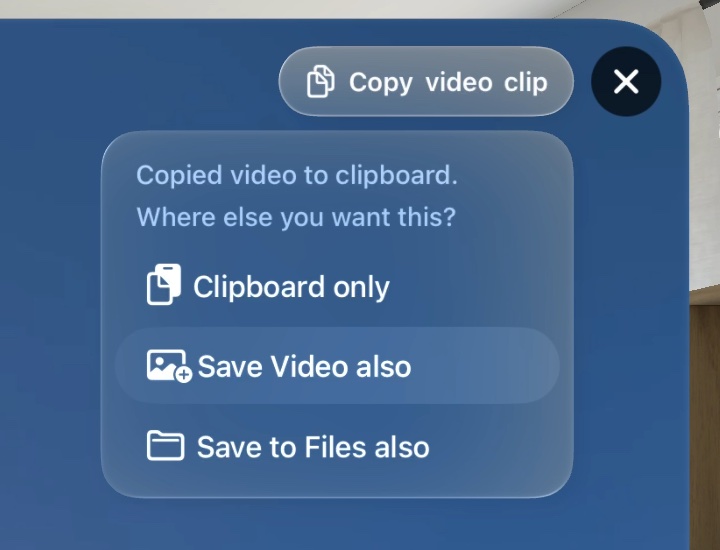
On Apple Vision Pro, after a copy. - More official replays outside YouTube. Roscosmos's own launch broadcasts from its RuTube channel and VK Video group, and NASA's from NASA+ and the NASA Image and Video Library, appear among the playback choices and play in Launch Today.
1.0.0
The first release, on Apple TV, iPhone, iPad and Mac.
- One timeline of days, opening on today, with an Unconfirmed column for launches without an exact date.
- Launch schedules from The Space Devs' Launch Library and SpaceX.
- Live and recorded coverage from SpaceX on X and from official and independent YouTube channels, plus Spaceflight Now's live feed, ESA Web TV and launch footage from Chinese news sites.
- A globe that turns to each launch site.
- A schedule alone never makes a launch “live”: the stream is checked.
- Liftoff found on the device from the countdown clock (or, failing that, from the picture), so replays can start 15 seconds before liftoff.
- Playback choices: Launch Today's player or YouTube (your web browser on a Mac), from the start, T−15s or T−60s; on iPhone, iPad and Mac, X broadcasts can also open in the X app. Resume where you left off in Launch Today's player.
- When you're signed in to iCloud, liftoff times sync between your devices and are shared anonymously with other Launch Today users, whose devices check them against the video.
- Bookmarks, hidden channels, the Activity log, and five date formats.
- Siri Remote control on Apple TV, keyboard control on Mac.